

Unsubscribing From mymedicalimages
Step 1: Log-in to your mymedicalimages account at https://app.mymedicalimages.com/.
Step 2: Open the menu in the top left-hand corner of the screen, and in the “Account and Settings” sub folder, click on the option that reads “Subscription”.
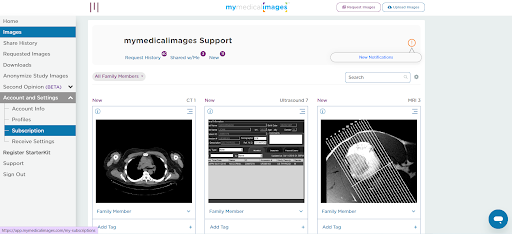
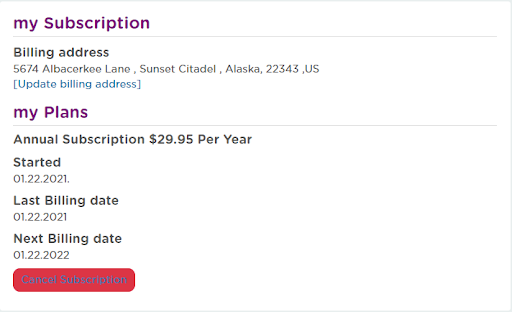
Step 3: On the “my Subscription” page, click on the red “Cancel Subscription” button.
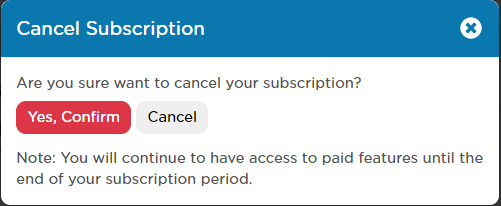
Step 4: In the pop-up window, click on the red “Yes, Confirm” button.
After confirming your subscription cancellation, you will be redirected to the dashboard.
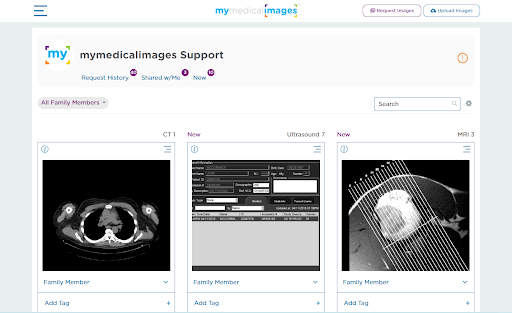
You are now unsubscribed from mymedicalimages, and will lose access to any features that are related to subscription benefits, such as uploading to your personal account or sharing images through our website.


