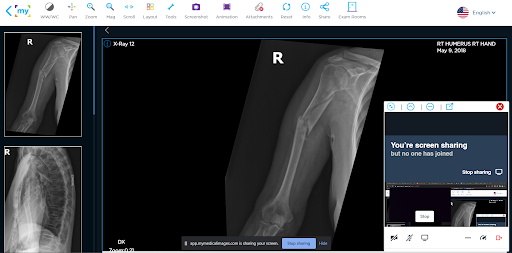
Using an Exam Room
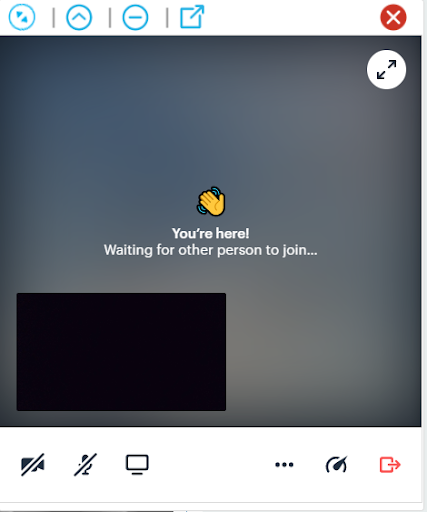
Once you have joined an exam room you will see a small window open in the bottom right-hand corner of the screen. This is the video feed from the other user’s webcam.
You can enable your own webcam or microphone, using the video and audio buttons in the bottom left-hand side of the screen.
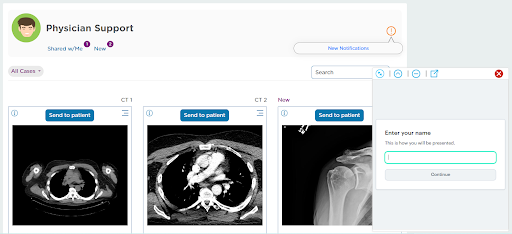
Functions In the Window
The symbols in the top left-hand corner of the Exam Room can be used to adjust the size of the window.
You change the viewing modes between widescreen, vertical, minimized, or pop-out the window altogether.
You can also set the window into fullscreen using the with button in the top right-hand corner.
To exit the Exam Room, click on either the red “X” in the top right-hand corner of the window, or the red exit button in the bottom right-hand corner.
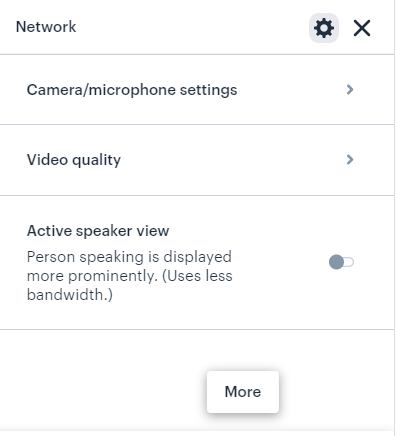
Clicking the ellipsis in the bottom right-hand corner will allow you to adjust your camera/microphone settings, control the video quality, or enable active speaker view, which will focus on the person actively talking in the window.
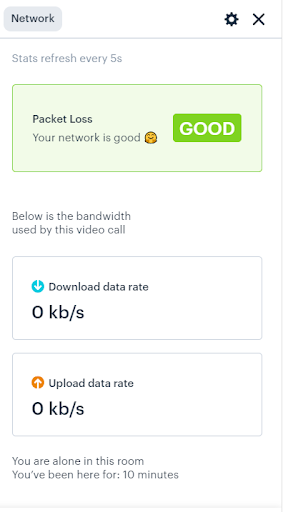
Clicking on the speedometer in the bottom right-hand corner will show you your current network status. The Download and Upload rate of the Exam Room, How many users are currently in the room, and a current session duration.
Using An Exam Room In Conjunction With The Viewer
Once the exam room is open it will remain open while you navigate the site until it is closed. You will be able to access any of the features of the exam room from the window pop-up in the corner of the page.
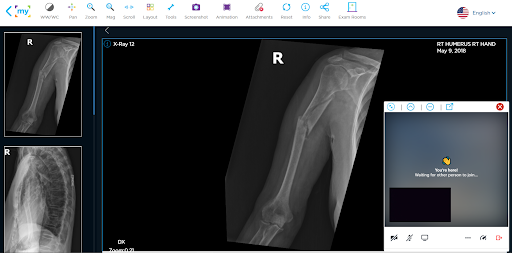
The monitor button in the bottom left-hand corner allows you to share your screen with the other party in the Exam Room. After clicking the button, a pop-up window will appear asking you to designate what part of your screen to capture.
Once you have made your selection, click the “Share” button to confirm your choice.
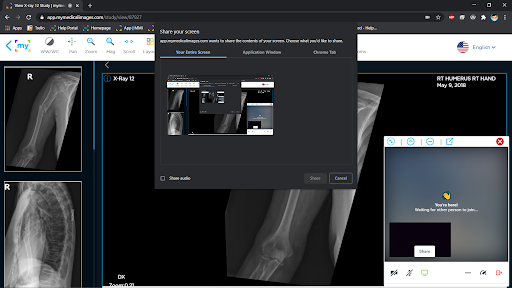
To stop sharing, click on the “Stop sharing” button at the bottom of your screen.